hw1.64.patel
hw1_interface
Elevator Interface for CS 3366 (HW 1)
Links:
Source Code: https://github.com/pratikppatel1616/hw1.64.patel/blob/master/myinterface.java
Presentation Page: https://pratikppatel1616.github.io/hw1.64.patel/
Github Repository: https://github.com/pratikppatel1616/hw1.64.patel
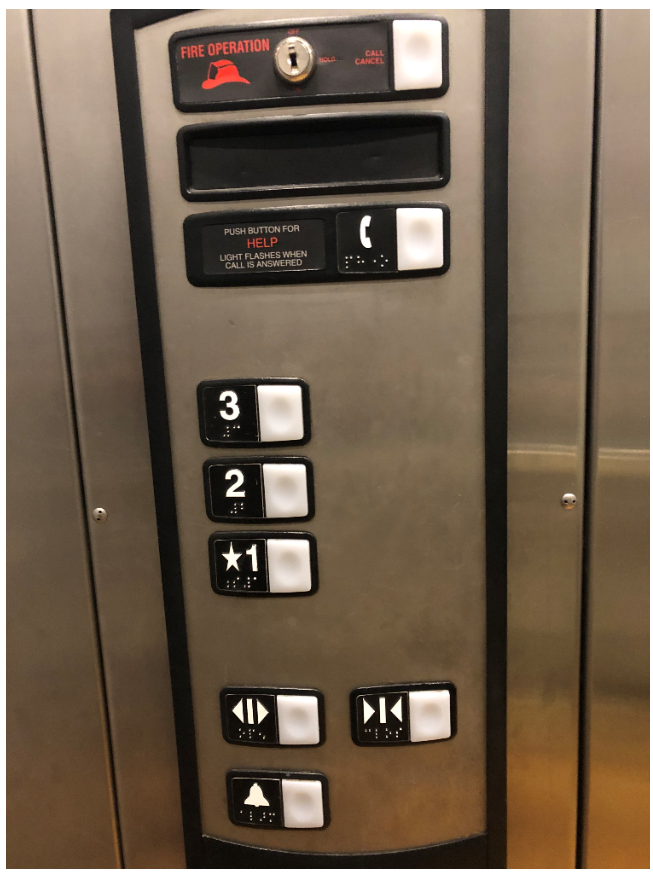
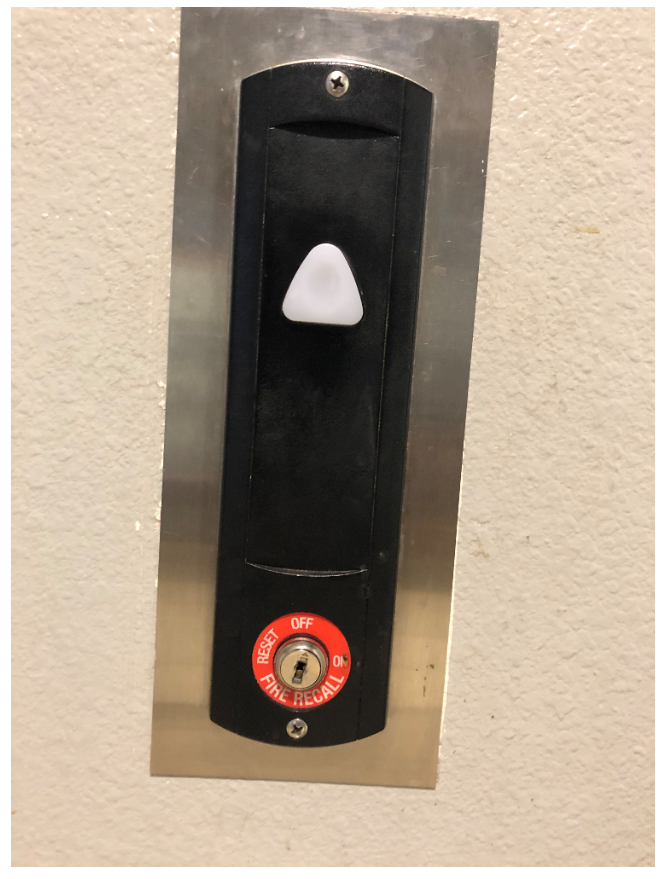
The elevator from Baymont Inn & Suites - Lubbock West:
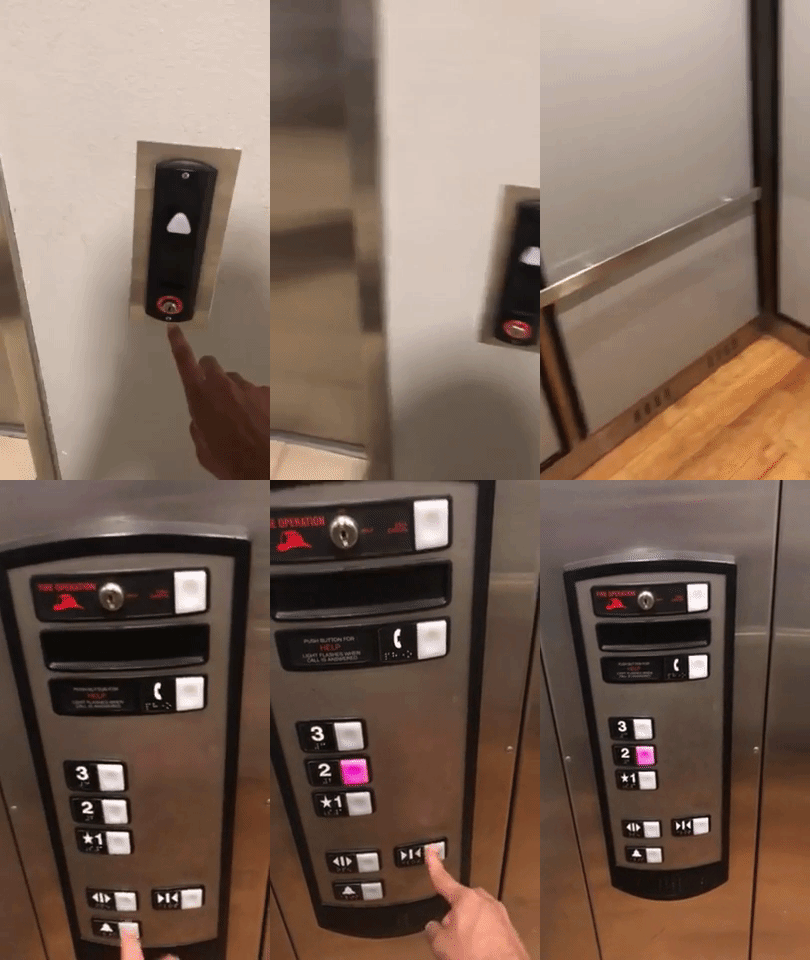
Elevator Demonstration (GIF):
//////////////////////////////////////— TO GET A C —-///////////////////////////////////////////
Photos of the elevator interface are located above, as well as, a gif image of the interface in operation.
ISSUES WITH CURRENT DESIGN
-
If up button is pressed, must press a floor that is greater than current floor. If a floor less than current floor is pressed then it will re-open on current floor. After this happens, user can press any floor (greater or less than current floor) and elevator will cooperate.
-
Same principle applies for if down button is pressed. In other words, the up and down call buttons are redundant for the sake of the user accessibility. They are, however, useful during high traffic times when the elevators are constantly going up and down.
-
The buttons are not very responsive, must press multiple times before the elevator responds to user input.
-
Does not tell user what floor the elevator is currently on. Most elevators have an electronic display on inside of elevator that tells user what floor elevator is on. This is very useful during elevator failure because user can call emergency responders and direct them to the exact floor the users are on for quick and easy extraction.
-
Does not have elevator escape latch on top of elevator. In other words, users are stuck in elevator incase of building emergency and must wait for an extraction.
//////////////////////////////////////////—- TO GET A B —–//////////////////////////////////////
COMMON USES (WITH COMMENTS ON WHETHER IT IS EASY TO USE):
- Open door (Hold door) Will sometimes stick or become unresponsive
- Close door Same as above
- Floor buttons Must press appropriate button depending on which floor call button the user pressed before entering elevator. Otherwise, elevator will re-open on current floor and reset. RARE USES:
- Alarm button in case of emergency
- A phone or call button to emergency services
COMMON SEQUENCE OF ACTIONS:
- Press floor call button (up or down) depending on where user is and where they are going.
- Enter elevator
- Press appropriate floor
- OPTIONAL: Press door close button if in hurry
- Wait for elevator door to close
- Elevator ascends or descends to target floor.
- User exits elevator
COMMON MISTAKES WITH CURRENT DESIGN:
- Pressing wrong floor or a floor that doesn’t correlate with the up/down call button that the user pressed.
- Pressing a floor that is greater/less than the floor you need. It is not possible to stop at a floor in the middle because the interface responds to the sequence of buttons pressed. For example, if user enters from ground floor and then presses 2, 4, 3 then the elevator will go to those floors in that order. A better design would be to go in order (2, 3 then 4) to not only save energy costs but for the sake of time efficiency.
ELEVATOR SUPPORT/FEEDBACK TO USER:
- This particular elevator will start to beep once the door has been open for a certain period of time, which lets the user know that they must let the door close and select the desired floor
- If user calls for help using the help/call button then the button will flash indicating to the user that their call has been answered and help is on the way.
- The current design does have a call cancel button which can be turned off once help has arrived.
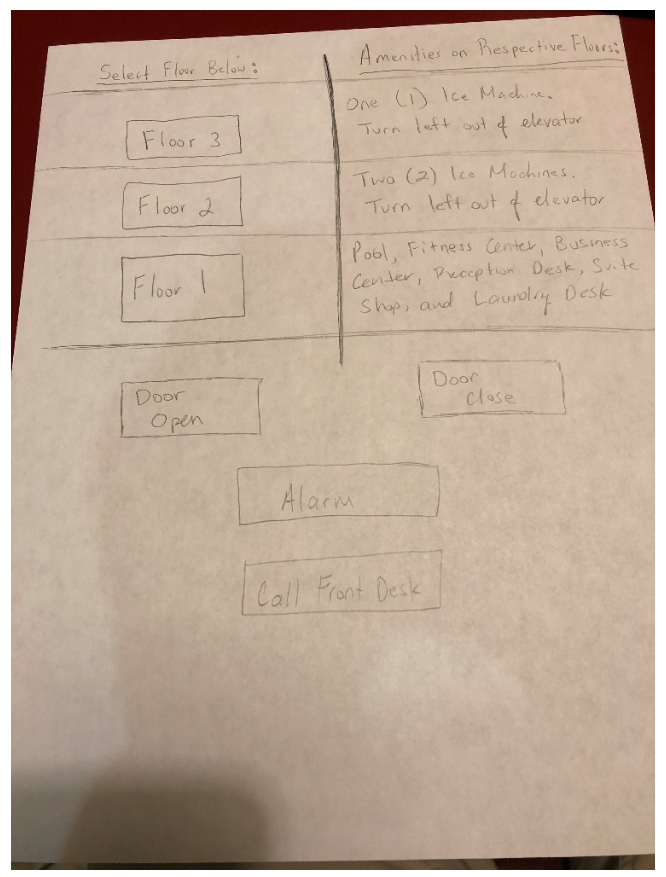
SKETCH OF SUGGESTED CONTROL INTERFACE WITH IMPROVEMENTS:
////////////////////////////////////////—— TO GET AN A——–///////////////////////////////////
DESIGN AND IMPLEMENTATION OF THE TOUCH SCREEN WITH INTERACTIVE FEATURES:
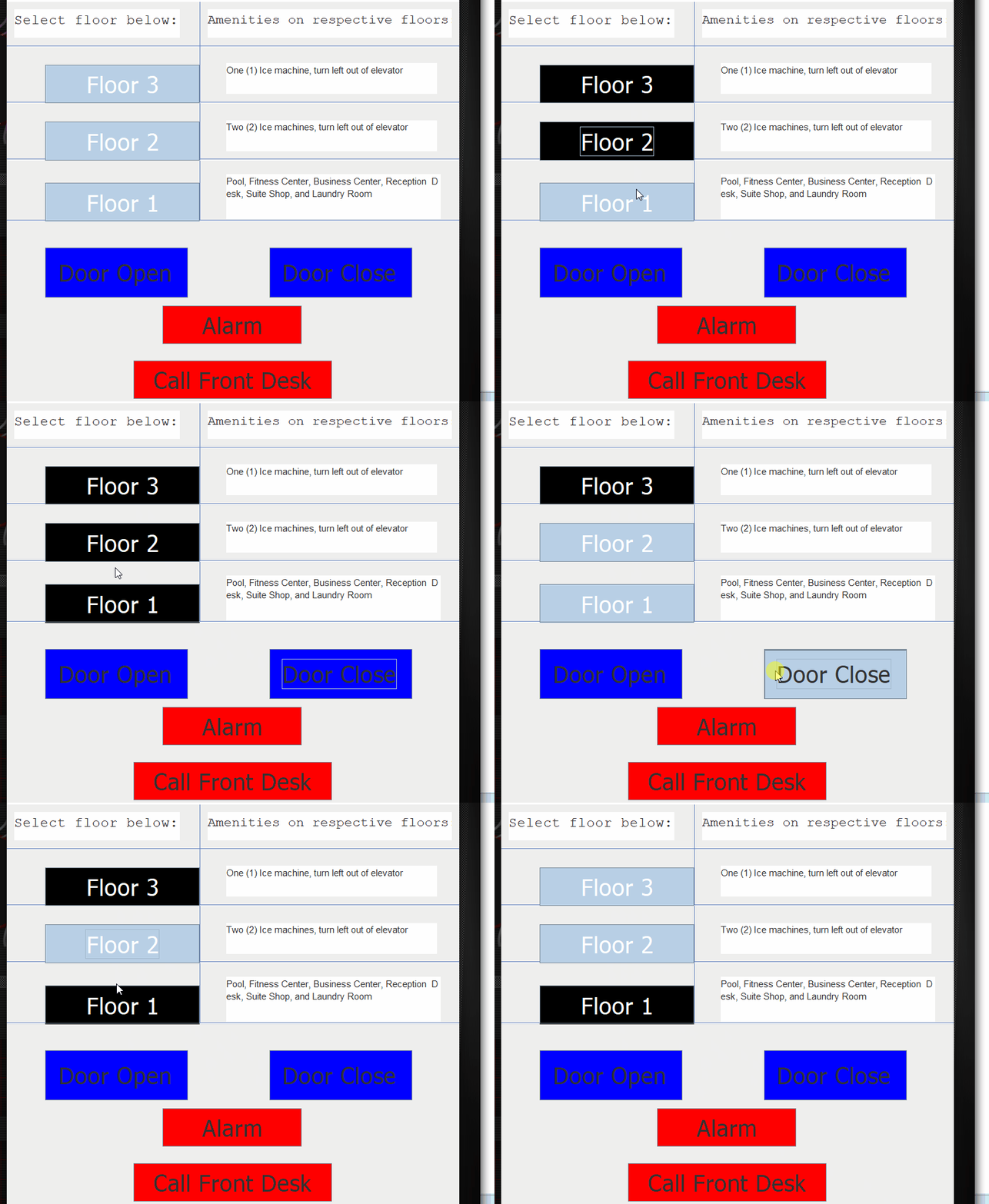
The improved version of this interface has all the same things as the old interface with some more modern improvements such as amenities on each floor. This is very beneficial to the guests as they would not have to ask the reception desk where everything is at. Having worked the front desk for 4 years now, one of the most common questions we get asked is “Where are your ice machines?” With this design, guests will have details on where each of the ice machines are and where they are located. Moreover, this version of the interface makes it possible for the user to unselect the floor in the case where the user accidently presses the wrong floor. This saves the user time by preventing the elevator from wasting time by going to a floor where no one needs to go. This version of the interface also indicates to the user when something has already been presses by either flashing or staying highlighted.
/////////////////////////////////////////—–EXTRA CREDIT——///////////////////////////////////
My interface has each of the amentities on respective floors listed out. Makes it easier for hotel navigation.